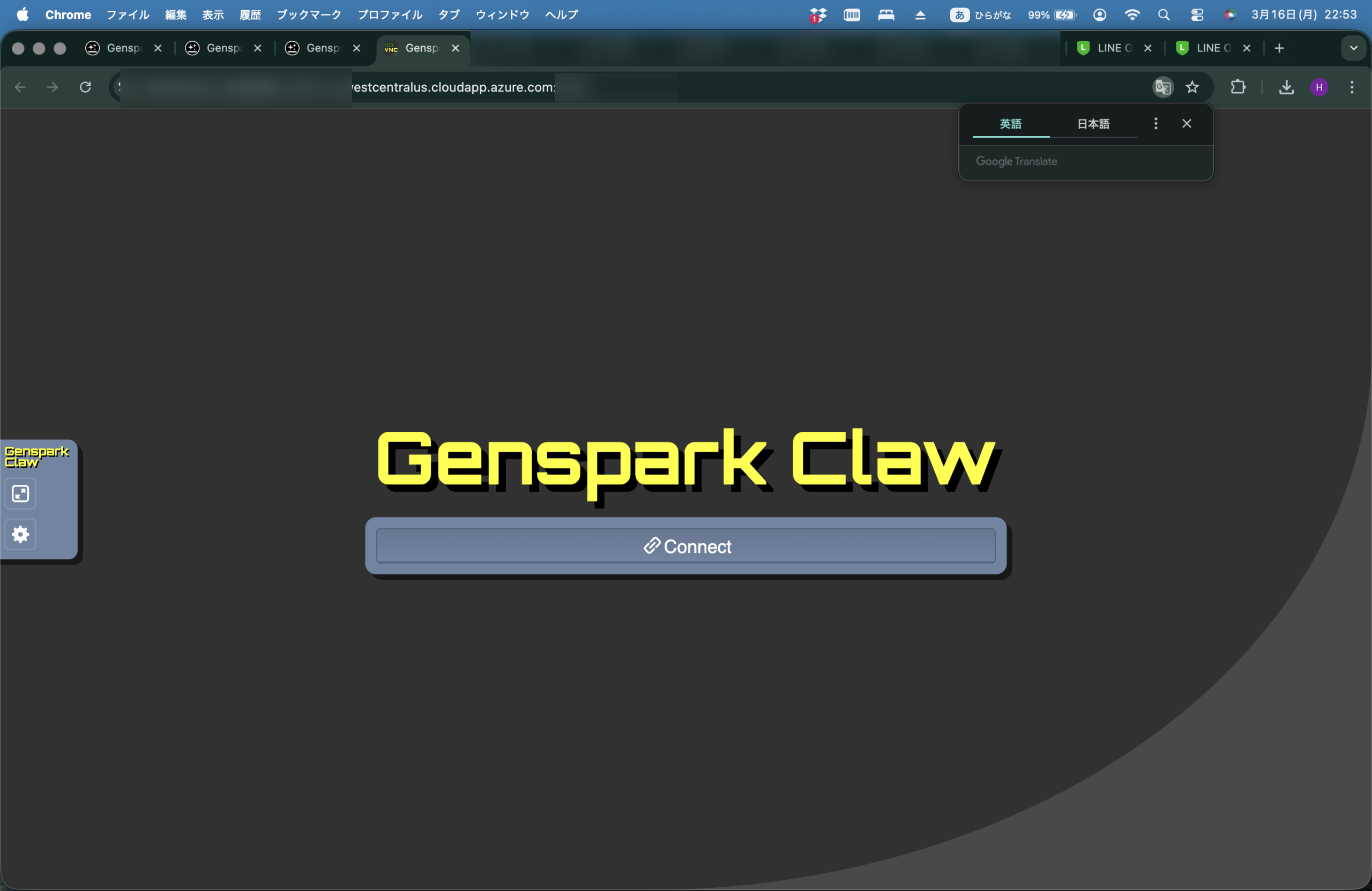
What happened: 2,000+ credits gone per day
Contents
In March, I was deep in a stretch of heavy AI usage — testing workflows, building automations, and buying extra credits across multiple services to keep things moving. By late March, most of that work had wrapped up, so I decided to let my Genspark credits reset naturally at the end of the month rather than top them up again.
April 1st and 2nd were busy days at work, and I barely opened Genspark. When I finally checked the dashboard on the evening of the 2nd, a significant chunk of my credits had already disappeared.
That familiar, unsettling feeling: the numbers are going down, but I haven’t done anything.
Over those two days, around 3,849 credits had been consumed. On April 3rd alone, my balance dropped from 6,151 to 4,050 — roughly 2,100 credits in a single day. And honestly, I suspect the same thing had been happening throughout March without me noticing, because I wasn’t watching the balance closely enough.
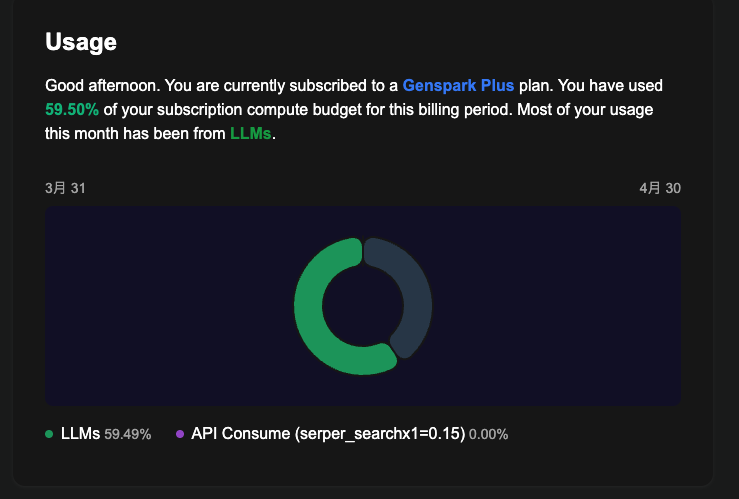
The Usage dashboard showed “LLMs: 59.49%” — clearly, AI language models were being called repeatedly. I just had no idea why.
Is this a bug? A hidden feature? I couldn’t tell. This post is my attempt to document what I found and what I tried. Fair warning: I haven’t fully solved it yet. Consider this a work-in-progress field report.
How Genspark Claw is built — and why that matters
Before diving into the investigation, here’s the setup I’m running:
| Plan | Details |
|---|---|
| Genspark Plus | 10,000 credits/month (via Apple App Store) |
| Genspark Claw (annual) | Includes Cloud Computer: Standard |
The key thing about Genspark Claw is that it comes with a Cloud Computer — a Linux virtual machine that runs continuously in the background. This is what makes Claw powerful: AI agents can browse the web, run code, manage files, and connect to external services like LINE or Slack on your behalf.
But that “always-on Linux machine” is also exactly why credits can disappear when you’re not looking. Background processes don’t stop just because you’ve closed the browser tab.
What I found in the terminal: three possible causes
Genspark Claw’s Cloud Computer gives you browser-based terminal access. Even without deep technical knowledge, a few commands can reveal what’s actually running behind the scenes.
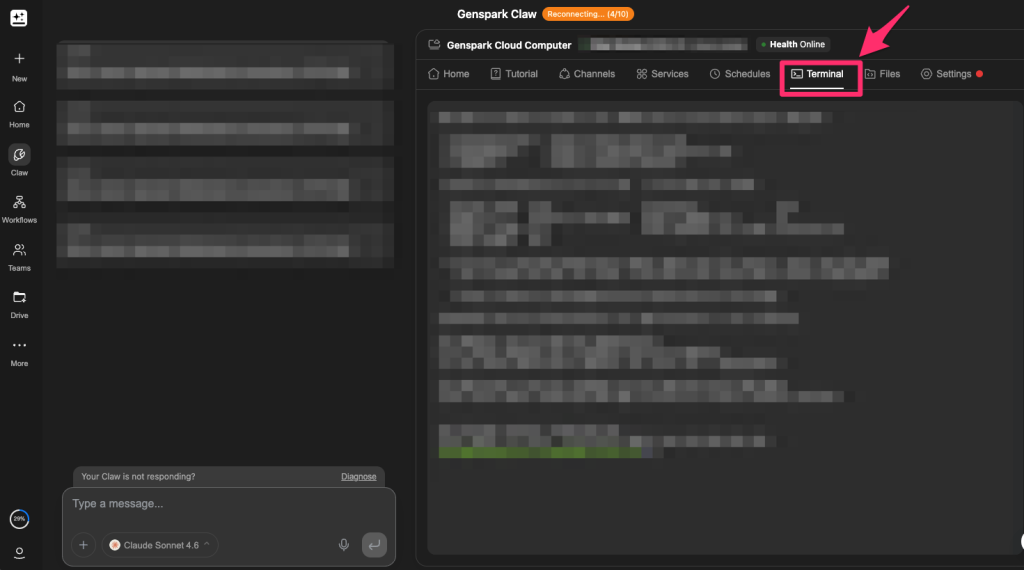
How to open the terminal
From the Genspark dashboard, open Cloud Computer, then click Terminal. A black command-line window will appear in your browser. Copy and paste the commands below directly into it. If the output doesn’t make sense to you, that’s fine — just copy it and paste it into Genspark or Claude and ask it to explain. That alone should get you most of the way there.
Cause #1: openclaw-gateway stuck in an authentication error loop (most likely)
Start by checking what processes are running:
ps aux | grep openclaw
You might see something like this:
work 454571 openclaw-gateway ← 487MB memory, running since April 2nd
openclaw-gateway is the core service behind Genspark Claw — it handles AI agent activity and connections to external services like LINE and Slack.
Next, check its logs:
journalctl --user -u openclaw-gateway --since "2026-04-01" | tail -100
This shows the last 100 lines of logs since April 1st. In my case, the same pattern was repeating endlessly:
[genspark-im] channel exited: auth is not defined
[genspark-im] auto-restart attempt 1/10 in 5s
[genspark-im] auto-restart attempt 2/10 in 10s
[genspark-im] auto-restart attempt 3/10 in 21s
...
[health-monitor] restarting (reason: stopped)
What was happening: my LINE channel’s authentication token had expired. The genspark-im plugin kept trying to reconnect, failing, and then health-monitor was restarting the whole gateway roughly every 10 minutes. Each restart appeared to trigger an LLM call — and each of those calls consumed credits.
To check whether the gateway is still running right now:
systemctl --user status openclaw-gateway
If it says Active: active (running), it’s still going.
Cause #2: a failed job stuck in the delivery queue
Check whether there are any tasks waiting to be sent:
ls -la /home/work/.openclaw/delivery-queue/
This folder holds outgoing tasks that haven’t completed yet. In my case, a LINE message (a morning briefing) from March 23rd had failed with a 400 - Bad Request error and was stuck in the queue after three failed retries. Every time the gateway restarted, it tried to resend — and failed again. Another likely contributor to the loop.
Cause #3: Cron jobs that are “disabled” but still running
Take a look at the raw config file:
cat /home/work/.openclaw/cron/jobs.json
Even jobs that show as “disabled” in the Genspark UI are still defined here. In my setup, two jobs marked "enabled": false were still delivering LINE messages every morning. (I use WhatsApp as my main messaging app, so I barely check LINE — which is probably why I didn’t notice sooner.)
This suggests Genspark may be managing schedules server-side, independently of the local config file. Turning something off in the UI might not actually stop it on the server.
The silver lining: at least you can investigate
One thing I kept coming back to during this whole process: at least I could look into it.
With most SaaS tools, if credits or usage is going up unexpectedly, you’re basically stuck staring at a vague summary dashboard. There’s no way to see what’s actually running internally.
Genspark Claw is different — the Cloud Computer gives you a window into what’s happening. ps aux shows running processes, journalctl shows logs, ls shows what’s queued. It’s not beginner-friendly, but the information is there. That’s genuinely more than most services offer.
That said, there’s a meaningful gap between “technically possible to investigate via terminal” and “any user can check their credit breakdown in the dashboard.” Genspark doesn’t currently offer a detailed credit history — you can’t see which specific action consumed how many credits and when. That’s the part that needs to improve.
Four things you can try right now
I can’t promise any of these will fully stop the bleeding — I’m still monitoring my own situation. But here’s what I’ve done.
Fix #1: Stop and disable openclaw-gateway (start here)
# Stop the service and disable auto-start
systemctl --user stop openclaw-gateway
systemctl --user disable openclaw-gateway

# Confirm it's stopped
systemctl --user status openclaw-gateway
Once you see Active: inactive (dead), it’s stopped. This is the most direct intervention I’ve found.
Important: this will also stop all Genspark Claw agent functionality — web browsing, external API connections, automated tasks. If you’re actively using those features, be aware of the trade-off.
If you also want to stop the VNC (screen sharing) service:
systemctl --user stop openclaw-vnc
systemctl --user disable openclaw-vnc
Fix #2: Clear the delivery queue
# Check what's in the queue
ls -la /home/work/.openclaw/delivery-queue/

# Delete any JSON files
rm /home/work/.openclaw/delivery-queue/*.json

# Confirm
ls -la /home/work/.openclaw/delivery-queue/
If only a failed/ folder remains afterward, you’re done.
Fix #3: Reset the Cron job config
# Back up the current file first
cp /home/work/.openclaw/cron/jobs.json \
   /home/work/.openclaw/cron/jobs.json.bak

# Overwrite with an empty job list
cat > /home/work/.openclaw/cron/jobs.json << 'EOF'
{
  "version": 1,
  "jobs": []
}
EOF

# Confirm
cat /home/work/.openclaw/cron/jobs.json
You should see { "version": 1, "jobs": [] } if it worked.
Fix #4: Contact Genspark support
The fixes above only address the local side. If Genspark is managing schedules server-side independently, local changes alone may not be enough. When reaching out, these three points should help them understand the issue:
- Cron jobs disabled in the UI appear to still be running
- genspark-im was stuck in an authentication error restart loop
- A failed delivery-queue job was retrying repeatedly
Still investigating — I’ll update this post
My working theory is that this comes down to a combination of Genspark Claw’s architecture (an always-on Linux VM with external service plugins) and a lack of error handling when those connections break. When an auth token expires, the right behavior would be to stop, alert the user, and wait. Instead, the system keeps retrying indefinitely — burning credits with every restart.
Genspark Claw is genuinely capable when it works. The experience of having an AI agent handle scheduled tasks and external integrations in the background is something I find valuable. That’s exactly why the “credits quietly disappearing” problem is frustrating — it erodes trust in a tool I want to keep using.
Two things I’d ask Genspark to address: a proper per-action credit history in the dashboard, and automatic error detection that stops retry loops and notifies the user. Neither seems like an unreasonable ask.
This article was written with the assistance of Claude (AI).



Hiroshi is a Tokyo-based project manager specialising in international operations within the global MedTech company. Originally from Hokkaido, he holds a postgraduate degree in international relations — including study periods in the United States and Sweden — and has lived and worked across Malaysia, Switzerland, China, and the Philippines.
Beyond his industry career, he served as Manager for the 23rd World Scout Jamboree in 2015, where he managed liaison with delegations from over 150 countries, coordinated with the World Organisation of the Scout Movement (WOSM), and led on-site risk response. He has also contributed to disaster relief efforts following the Great East Japan Earthquake and other natural disasters across Japan.
This blog covers travel, productivity, technology, and global careers — written as a way of thinking through ideas and consolidating what he learns along the way.
Discover more from hiroshi.today
Subscribe to get the latest posts sent to your email.